Everything your restaurant runs on, in one system.
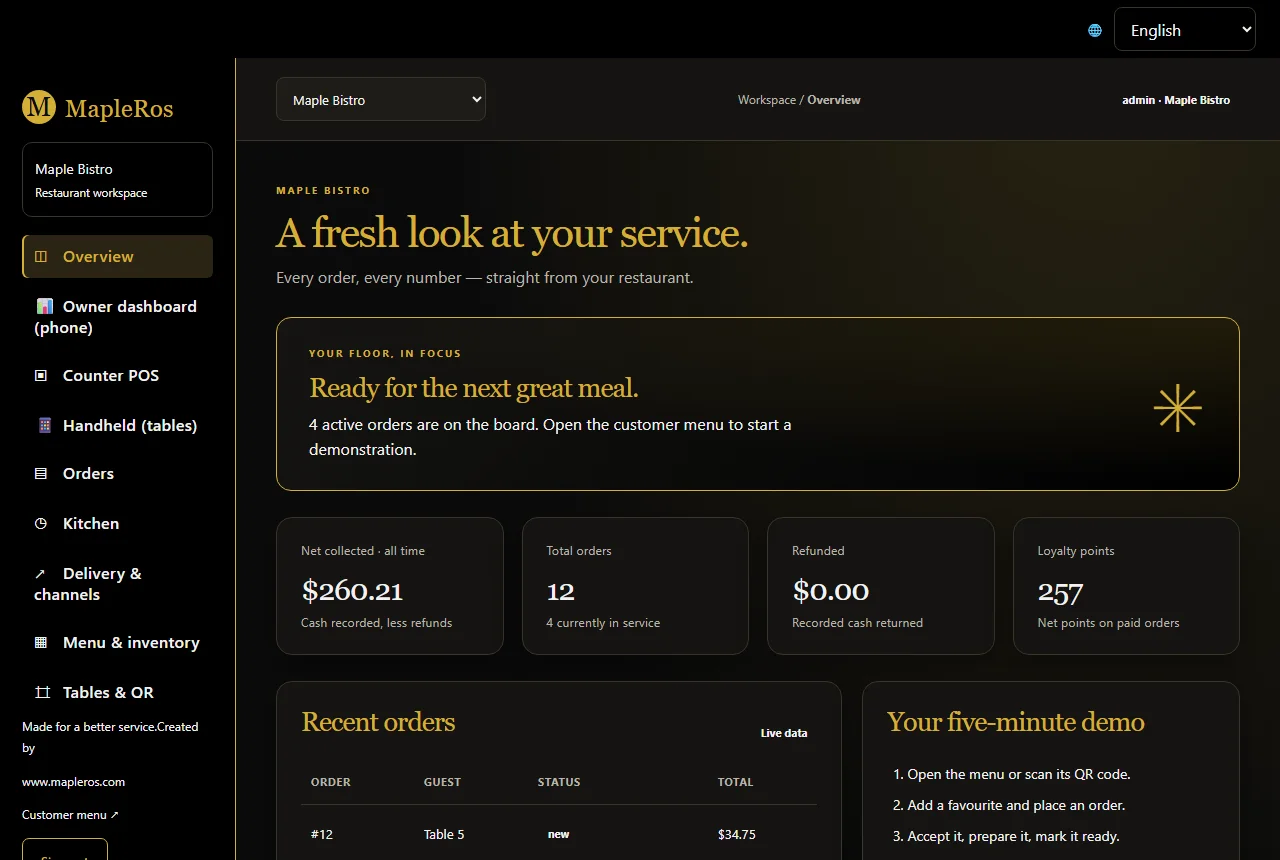
Twelve tools that work together on one computer in your restaurant. Add only what you need, and turn on more as you grow.
Counter POS
Fast orders, modifiers, split bills, discounts, cash drawer and receipts.
Jump toQR table ordering
Guests scan, order and pay from their own phone, in their own language.
Jump toKitchen display & printers
Every order on one live kitchen screen, with printers for each station.
Jump toCard payments
Moneris, Square, Stripe and Helcim terminals, with no double typing.
Jump toOnline ordering & bookings
Your own ordering and booking page, with no commission.
Jump toDelivery apps
Uber Eats, DoorDash and SkipTheDishes orders straight to your kitchen.
Jump toOwner dashboard
Live sales, alerts and refund approvals on your phone.
Jump toHandheld & kiosk
Take orders at the table, or turn any tablet into a self-order kiosk.
Jump toStaff & payroll
Roles, a time clock, schedules and payroll hours.
Jump toInventory & suppliers
Recipes deduct stock; see what to reorder before you run out.
Jump toReports & accounting
Sales, menu profit, forecasts and QuickBooks or Xero exports.
Jump toBackups, standby & security
Encrypted backups, a standby computer and a full event log.
Jump toCounter POS
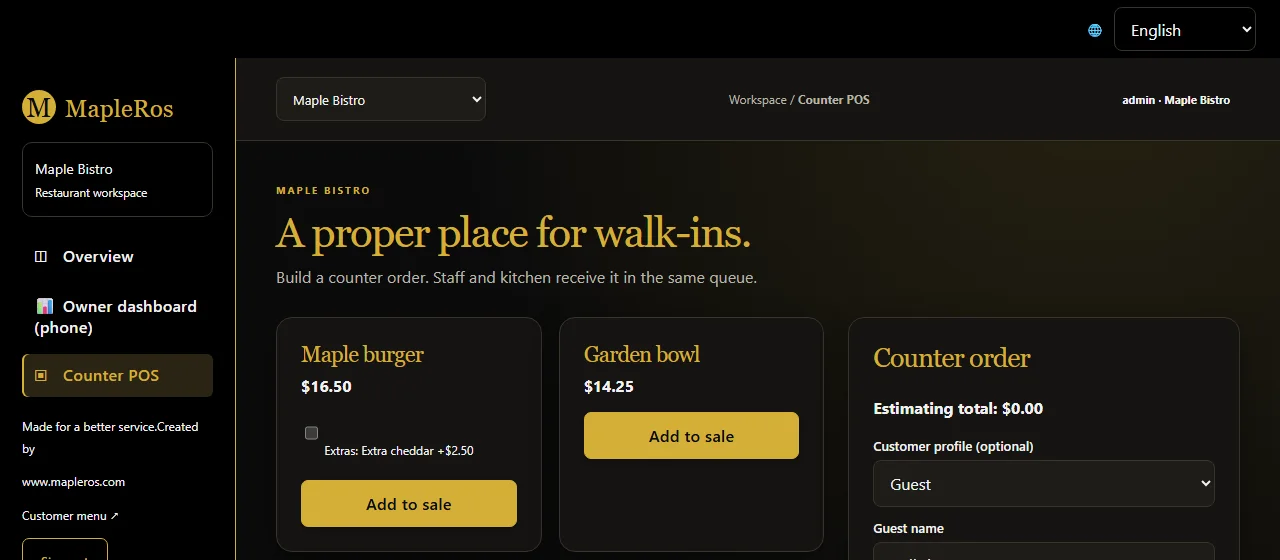
Tap dishes, add extras, choose dine-in, take-out or delivery and send it to the kitchen. Take cash, a card on your terminal or a gift card, and print the receipt in the guest's language. Refunds above your limit wait for the owner's approval.
- Split bills, discounts and voluntary tips
- Cash drawer opens from the receipt printer
- Customer profiles and loyalty points
- Refund limits with owner approval
QR table ordering
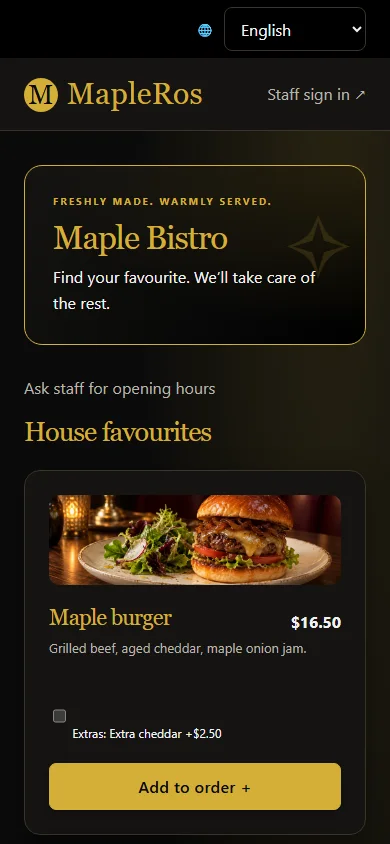
Every table gets its own QR code. Guests open your menu on their phone, order, add notes and pay, without downloading anything. Orders go straight to the kitchen screen and printers, and guests watch the status live.
- Menu in 12 languages
- Allergen notes and modifiers
- Call the server from the table
- Order status on the guest's phone
Kitchen display & printers
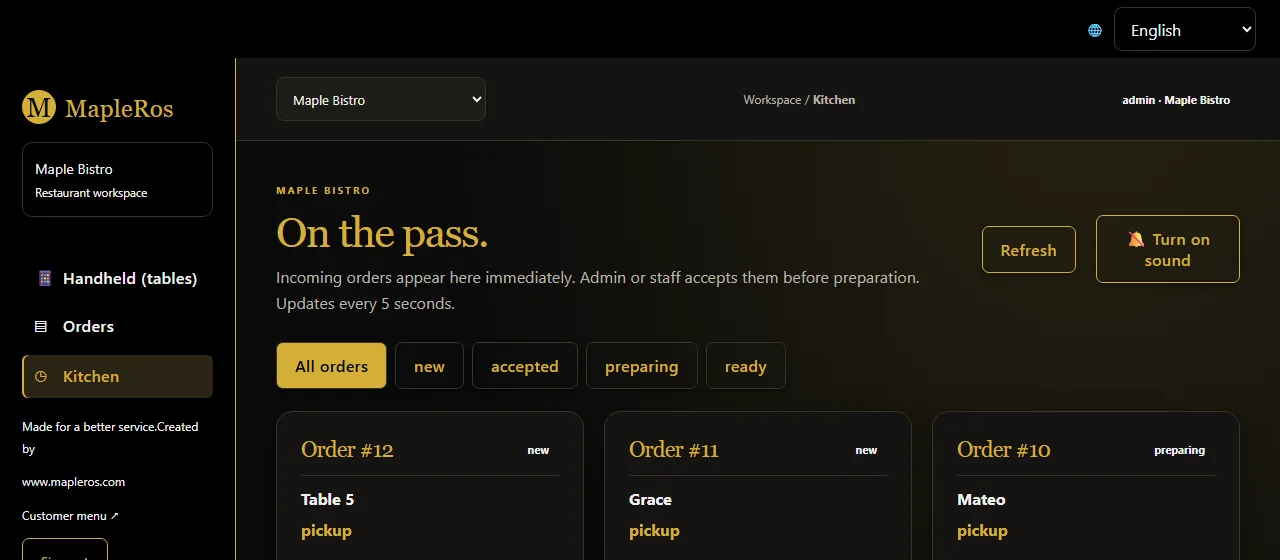
Counter, table, QR, kiosk, online and delivery orders all land on the same kitchen screen. Staff move each order from new to ready with one tap. Tickets wait safely if a printer is off or out of paper.
- Sound alert for new orders
- Separate kitchen, bar and counter printers
- Network, USB and Windows printers
- Unmatched delivery dishes flagged, never lost
Card payments
MapleRos sends the amount to your card terminal and records the approval by itself. Keep the processor you already trust, or choose a new one. Any other terminal still works: the cashier records the payment in one tap.
- Moneris, Square, Stripe, Helcim
- Tips and split payments
- Gift cards and cash in the same bill
- No MapleRos fee on top of your processor rates
Online ordering & bookings
Publish your menu online and take pick-up orders and table bookings on your own page. Requests pass through the MapleRos secure relay to your restaurant computer, so nothing is kept in the cloud.
- Your own link and QR for flyers
- Pick-up times and table bookings
- Google Calendar feed for reservations
- Shows "offline" if your restaurant is offline
Delivery apps
Through Deliverect, orders from all major delivery apps arrive on your MapleRos kitchen screen already accepted. No more tablets on the counter or typing orders twice. Uber Eats can also connect directly.
- One screen for every app
- Orders printed automatically
- Delivery sales in your reports
- Payments recorded as delivery-app sales
Owner dashboard
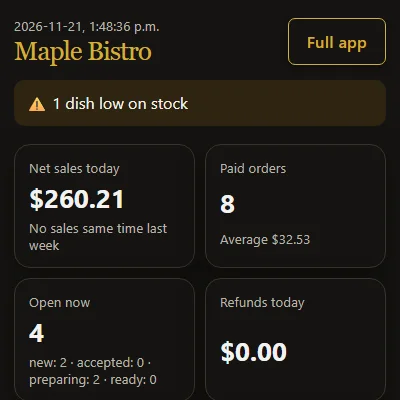
Pair your phone once. Wherever you are, see today's sales against the same time last week, best sellers, open orders and anything that needs attention, such as a printer out of paper or low stock.
- Approve staff refunds remotely
- Works over mobile data
- Remove a lost phone in one click
- Alerts for backups and printers
Handheld & kiosk
Servers take orders and payment at the table on a phone or small tablet. Put a tablet near the door and it becomes a self-order kiosk that sends orders straight to the kitchen.
- Handheld mode for servers
- Self-order kiosk mode
- Uses phones and tablets you already have
- Nothing to install on the devices
Staff & payroll
Give each person the right access: admin, staff, cashier or kitchen. Staff clock in and out on any screen, and MapleRos prepares payroll hours with Ontario overtime rules.
- Role-based access
- Time clock and schedules
- Payroll hours export
- Each person picks their own language
Inventory & suppliers
Link dishes to their ingredients and MapleRos deducts stock with every sale. See days of stock left, supplier lists and a prep list based on the sales forecast.
- Recipe-based stock
- Low-stock alerts
- Suppliers and reorder list
- Prep list from forecasts
Reports & accounting
Daily, weekly and monthly reports, menu profit by dish, and smart sales forecasts. Export daily journals for QuickBooks Online or Xero for any date range.
- QuickBooks Online and Xero
- Menu profit and best sellers
- Sales forecasts
- Tax and payment summaries
Backups, standby & security
Automatic encrypted backups to USB, NAS or cloud. Add a second computer on standby and it takes over by itself in about 30 seconds. Two-step sign-in and an event log your IT team can monitor.
- Encrypted automatic backups
- Standby PC takes over in ~30 s
- Two-step sign-in
- Event log for security tools